Pick the apps to lock
Social, video, games — shield any app or category with Apple's Screen Time framework. We never see which apps you picked; it stays inside Apple's on-device framework.
Free on the App Store
21 Lockout shields the apps that pull you away using Apple Screen Time. Open one and you're dealt a hand of blackjack instead — beat the dealer and it unlocks. Lose, and the lockout runs longer.
Free to download · Plus from $69.99 / year
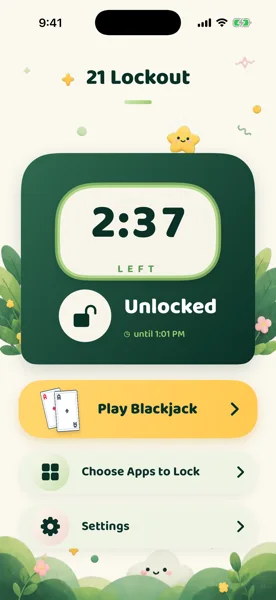
Real stakes, not willpower
Social, video, games — shield any app or category with Apple's Screen Time framework. We never see which apps you picked; it stays inside Apple's on-device framework.
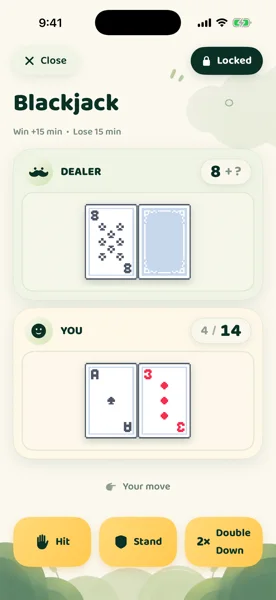
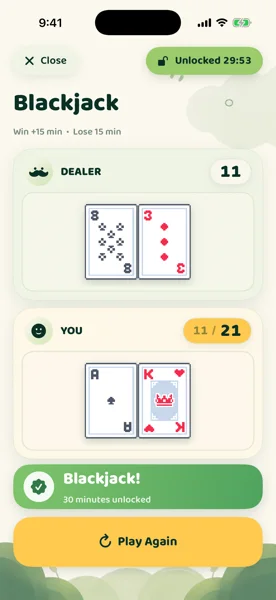
Open a locked app and you get a hand of blackjack instead. Win and your apps unlock. A natural 21 pays double, and doubling down doubles whatever you were about to win or lose.
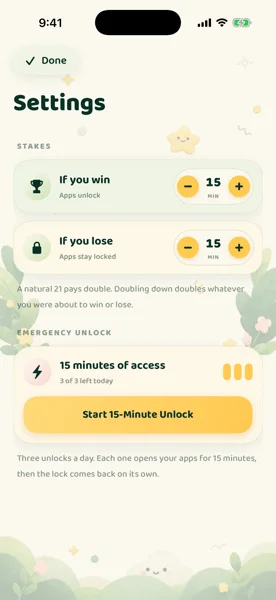
Choose how many minutes a win unlocks and how long a loss keeps you locked out. Need in right now? Emergency Unlock gives you 15 minutes, up to 3 times a day, no hand required.
Inside the app
Why it works
Most blockers ask for willpower you don't have in the moment. 21 Lockout asks for a hand of blackjack instead — a real bet against a real dealer, for real minutes on the apps you locked.
21 Lockout Plus
21 Lockout is free to download, and every core mechanic — blocking, blackjack, stakes, and Emergency Unlock — works without paying anything. 21 Lockout Plus is an optional subscription for players who want to go further.
 21 Lockout Plus
All access · Any stakes
21 Lockout Plus
All access · Any stakes
Questions
Yes. 21 Lockout is free to download from the App Store, and the core app — blocking, blackjack, custom stakes, Emergency Unlock — works without a subscription. 21 Lockout Plus is optional, at $69.99/year or $14.99/month.
21 Lockout uses Apple's Screen Time and Family Controls framework. You choose which apps or categories to shield with Apple's standard system picker, and the block is enforced at the system level — not just a reminder.
You get a shield instead of the app, and a hand of blackjack against the dealer. Beat the dealer and an unlock window opens for the minutes you set. Lose, and the apps stay locked for the minutes you set as the penalty.
Press and hold the 21 Lockout icon on your home screen and choose Emergency Unlock — 15 minutes of access, up to 3 times a day, no hand required.
No personal information or accounts are required. Lock state and stakes settings are stored on your device. 21 Lockout uses PostHog for anonymous product analytics only — never for advertising or resale. See the Privacy Policy for full details.
Any app or category exposed by Apple's Screen Time picker — social, games, entertainment, and more. 21 Lockout never sees or stores the names of the apps you choose; your selection stays inside Apple's on-device framework.
Ready to play for your time back?
Free to download · Plus from $69.99/year